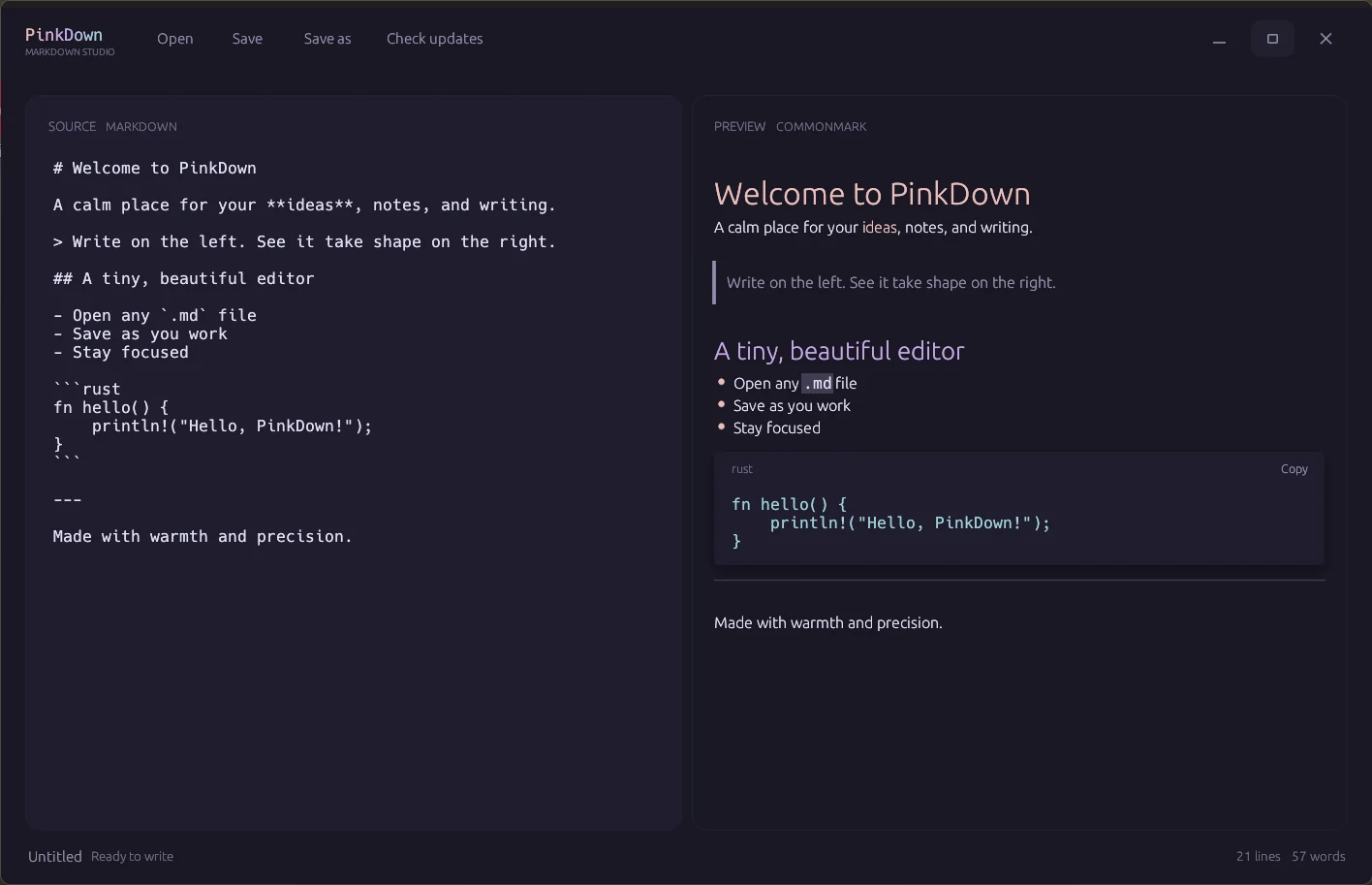
Write and preview, side by side
See headings, tables, task lists, code blocks, and more take shape the moment you type.
Native Markdown editor
A calm place for your ideas, notes, and writing. PinkDown pairs a focused editor with a live preview—fast, private, and entirely native.
Free and open source · Windows & macOS
Built for the way you write
Everything you need
PinkDown stays out of your way while covering the details that make everyday Markdown editing feel effortless.
See headings, tables, task lists, code blocks, and more take shape the moment you type.
No account, no cloud, no workspace setup. Open a file and start writing.
Built in Rust for instant startup, low overhead, and a desktop experience that feels at home.
Rosé Pine colors, any installed system typeface for the UI and preview, and a focused layout make long sessions easy on the eyes.
Share a self-contained HTML page, or print to PDF with Edge or Chrome—relative images resolve from the open file, and PDF export stays off the UI thread.
A simpler workflow
No project creation or import ritual. PinkDown works with the Markdown files you already have.
Use the file picker, drag and drop, or on macOS open from Finder or the Dock.
The rendered preview stays in sync as you type.
Keep a local Markdown file, or use Export for HTML and PDF when you need something others can open.
“Made with warmth
and precision.”
A focused tool for people who care about their words.
Ready when you are
Download PinkDown for free, or explore the source and help shape what comes next.