01
Parallel task board
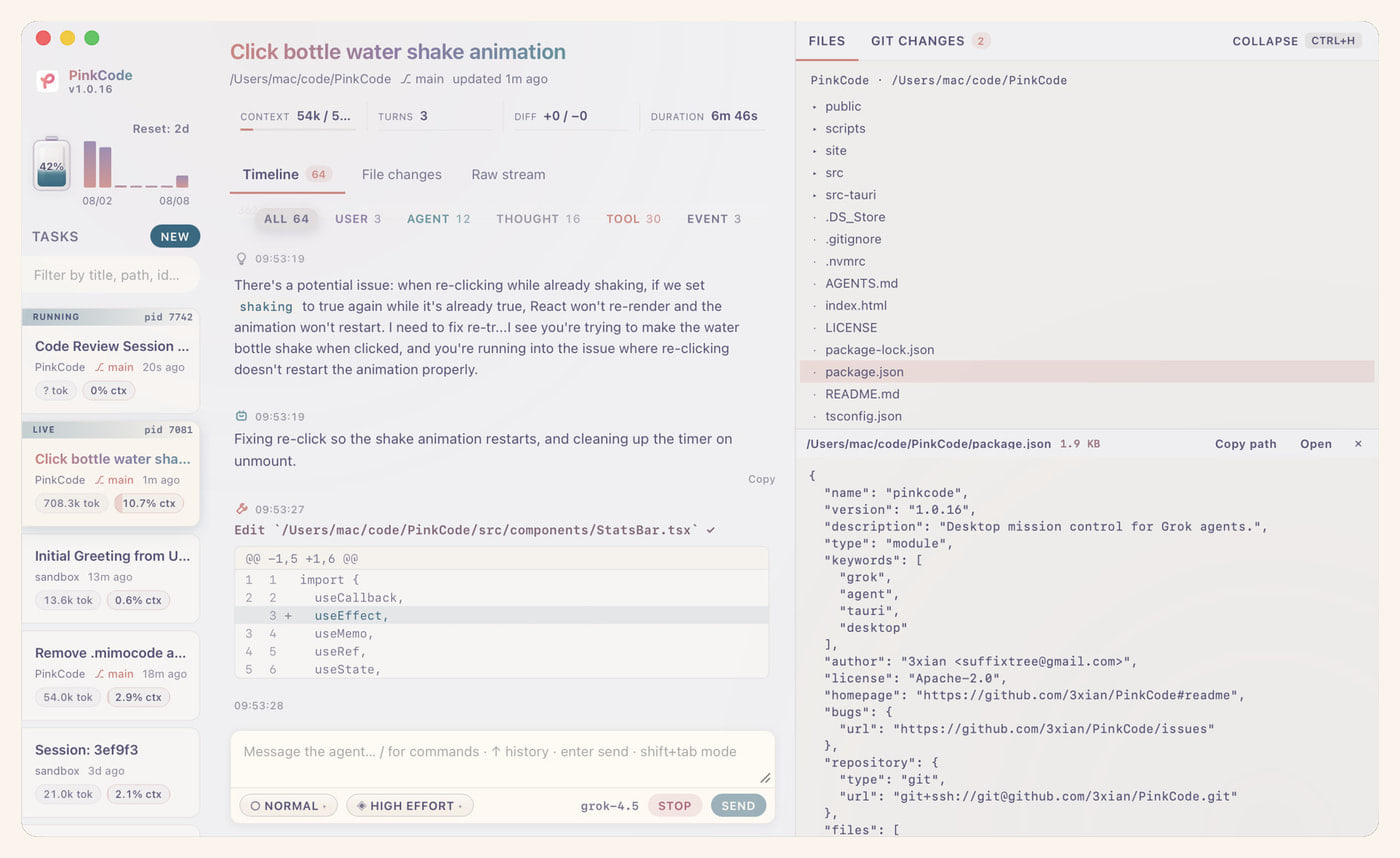
Create, switch, prompt, and stop Grok sessions independently. Live badges, branch, token use, and context share stay visible so you always know which agent needs you.
 PinkCode
v1.2.1
Download
PinkCode
v1.2.1
Download
Run multiple Grok Build tasks side by side, follow every thought and tool call in a live timeline, and see where credits and tokens go — without leaving the desktop.
Windows x64 · macOS Apple Silicon & Intel · requires Grok Build CLI
grok over stdio
What you get
PinkCode keeps grok in charge via ACP. You get a focused
surface for tasks, activity, cost, and workspace changes.
Create, switch, prompt, and stop Grok sessions independently. Live badges, branch, token use, and context share stay visible so you always know which agent needs you.
User messages, thoughts, tool calls, shell output, plans, and events in one stream — filterable by type, with subagent cards that update live.
Weekly Grok credit breakdown, a 7-day token series from session logs, and live turn tokens / cost while work is running.
Browse the project tree, preview files, and manage Git — branch status, staged/unstaged lists, inline diffs, and per-hunk stage/unstage.
Cycle Normal → Plan → Auto → Always-approve. Five permission levels, plan approval, and ask-user questions when the agent needs your input.
Tauri 2 · React 19 · Rust. Sessions live under
~/.grok. No cloud middleman — just your machine and
Grok Build.
Built around the real loop
PinkCode connects to grok agent stdio over ACP. It
stays out of the agent’s way while giving you a reliable place to
supervise parallel work.
Open a project workspace and send the objective.
Watch tools, thoughts, shell output, and file changes live.
Answer questions and approve sensitive actions when asked.
Inspect the timeline, usage, and Git hunks — then commit.
Ready when you are
Download PinkCode and keep ambitious agent work clear, parallel, and accountable.